Portillos App 2026: Ordering, Rewards & Deals Guide

Ordering your favorite Chicago-style classics has never been easier, and the portillos app is the reason why. Whether you crave a legendary Italian beef sandwich, a Chicago-style hot dog, or a slice of the famous chocolate cake, the portillos app puts the entire Portillo’s menu right in your pocket. You can order ahead for pickup, schedule delivery from your nearest restaurant, customize every item exactly the way you like it, and track your meal in real time from the kitchen to your hands. The portillos app also connects you to the Portillo’s Perks rewards program, where every visit moves you closer to free treats, exclusive offers, and fun achievement badges. In this complete 2026 guide, we walk you through downloading the portillos app, placing your first order, unlocking rewards, and using every feature like a pro.
What Is the Portillos App?
The portillos app is the official mobile ordering app from Portillo’s, available free for both iPhone and Android devices. It replaces waiting in long lines with a fast, smooth digital ordering experience that starts on your phone and ends with hot, fresh food in your hands. Through the portillos app, you can browse the full restaurant menu, build your order item by item, pay securely, and choose whether you want delivery or pickup. The portillos app also serves as your home base for the Portillo’s Perks loyalty program, tracking your visits, badges, and rewards automatically. Unlike third-party food delivery apps, ordering through the portillos app means your money goes directly to the restaurant, and every qualifying order counts toward your Perks progress.
Everything You Can Do With the Portillos App
The portillos app packs a surprising number of features into one simple interface, and each one is designed to save you time. You can order ahead for delivery or pickup, save your favorite orders for one-tap reordering, and mark your most-visited restaurants as favorites for even faster checkout. The portillos app lets you customize every sandwich, burger, salad, and shake with your preferred toppings, sauces, and preparation styles. You can also track your order with real-time status updates, receive exclusive member-only offers, and manage your Portillo’s Perks account without ever leaving the app. Every feature inside the portillos app works together to make repeat visits quicker, cheaper, and more rewarding.
Who Should Download the Portillos App?
If you visit Portillo’s even a few times a year, the portillos app is absolutely worth the free download. Busy parents love it because they can order dinner from the car and skip the line entirely, while office workers use the portillos app to schedule lunch pickup during their break without leaving their desks. Fans who chase deals get the most value, because many of the best promotions and surprise offers are announced to app users first. Even first-time visitors benefit, since the portillos app makes it easy to explore the menu, read descriptions, and customize items before ever talking to a cashier. If free birthday cake and loyalty rewards sound good to you, the portillos app delivers those perks automatically once you join.
How to Download and Set Up the Portillos App
Getting started with the portillos app takes less than five minutes, and the whole process is free. The app download is available on both major mobile platforms, and setup walks you through creating an account, choosing your home restaurant, and joining the rewards program. Once you finish the quick setup inside the portillos app, you can place your very first order immediately. Follow the steps below for your device, and you will be ordering Italian beef like a regular in no time. The portillos app even lets you browse the menu before creating an account, so there is no pressure to sign up until you are ready.
Downloading the Portillos App on iPhone
iPhone users can find the portillos app by opening the App Store and searching for “Portillo’s” in the search tab. Tap the Get button to start the free app download, then confirm with Face ID, Touch ID, or your Apple ID password when prompted. Once the portillos app finishes installing, open it and allow location access so it can find the restaurants closest to you. Granting notifications is also smart, because the portillos app uses push notifications to alert you about order status updates and limited-time deals. After the app download completes, you can create your account or continue as a guest to explore the menu first.
Downloading the Portillos App on Android
Android users can grab the portillos app from the Google Play Store by searching for “Portillo’s” in the search bar at the top. Tap Install to begin the free app download, and the portillos app will appear on your home screen within a minute or two on most connections. Open the app and approve location permissions so the built-in restaurant locator can show your nearest Portillo’s locations accurately. Like on iPhone, enabling push notifications in the portillos app keeps you informed about your order progress and exclusive offers. The Android version of the portillos app offers the exact same ordering, rewards, and tracking features as the iPhone version.
Creating Your Account and Joining Portillo’s Perks
After the app download, creating an account inside the portillos app unlocks the full experience, including saved favorites and rewards tracking. Tap the sign-up option and enter your name, email address, and phone number, then choose a secure password for your account. During registration, the portillos app invites you to join Portillo’s Perks, the free loyalty program that earns you badges, free cake slices, and surprise offers. Accepting the Perks invitation triggers a text message or email with a link to download your digital Perks card into your mobile wallet. Once your account is active, the portillos app automatically links every qualifying order to your Perks progress, so you never have to remember to scan or check in.
How to Order Food With the Portillos App
Placing an online order through the portillos app feels effortless once you have done it a single time. The menu is organized into clear categories like sandwiches, hot dogs, burgers, salads, sides, and desserts, so finding your craving takes only a few taps. Every item in the portillos app shows a description and available customization options before you add it to your cart. You can build a complete meal for the whole family, review everything in your cart, and check out securely without ever standing in line. The portillos app even remembers your previous orders, which makes reordering your usual Friday night dinner a two-minute task.
Placing Your First Online Order Step by Step
To place your first order, open the portillos app and select your preferred restaurant using the built-in locator or your saved favorites list. Browse the menu categories, tap any item to see its details, and choose your customizations before tapping the add-to-cart button. When your cart is complete, the portillos app asks you to pick delivery or one of the pickup options, then moves you to the payment screen. Enter your payment details or select a saved card or digital wallet option, review your total, and submit the order. Within seconds, the portillos app confirms your order and shows an estimated ready time, so you know exactly when to head out.
Customizing Every Item Exactly Your Way
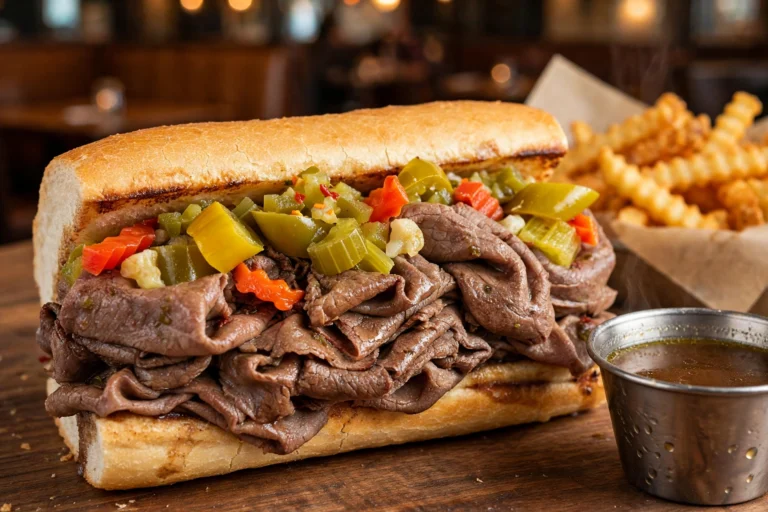
One of the biggest advantages of the portillos app is how much control it gives you over every single item. Want your Italian beef dry, cut in half, with hot peppers, mozzarella cheese, and gravy on the side? The portillos app lets you select all of those options with simple checkboxes before you add the sandwich to your cart. Burgers can be built with extra patties, cheese choices, and toppings, while salads offer dressing and add-on selections that match the in-restaurant experience. Because the portillos app sends your customizations straight to the kitchen, your food arrives exactly as you ordered it, without the miscommunication that sometimes happens at a busy counter. Take a minute to explore the options on your favorite items, because the portillos app often includes choices you might not know to ask for in person.
Saving Favorites and Reordering in Seconds
Regulars get the most convenience from the portillos app by saving their go-to orders as favorites for instant reordering. After you place an order you love, the portillos app offers a save-as-favorite option that stores the entire cart exactly as you built it. The next time a craving hits, you open the portillos app, tap your saved favorite, choose pickup or delivery, and check out in under a minute. You can also mark your most-visited restaurants as favorites, which makes the portillos app default to your usual location instead of asking every time. Families with different preferences can save a favorite order for each person, turning the portillos app into a personalized shortcut for weeknight dinners and weekend treats.
Delivery or Pickup: Three Easy Ways to Get Your Food
The portillos app gives you three convenient ways to receive your order, and each one fits a different situation. Inside Restaurant pickup works perfectly when you are already out and want to grab your food without waiting in the ordering line. Drive Thru Pickup at participating locations lets you stay in your car while the team brings your meal to the window. Delivery through the portillos app brings hot Portillo’s food straight to your home or office when you would rather not go out at all. Every option inside the portillos app includes real-time status updates, so you always know when your food is being prepared and when it is ready.
Inside Restaurant Pickup
Inside Restaurant pickup is the fastest option when you are already near the restaurant, and the portillos app makes it completely seamless. Place your order ahead from home, work, or the parking lot, and the portillos app notifies you the moment your food is ready. Walk inside, head to the designated pickup area, and grab your bag without standing in the regular ordering line. This pickup order method through the portillos app is ideal for lunch breaks, when every minute counts and you cannot afford a long wait. Because you paid in advance, the portillos app even lets you skip the register entirely, so you are back on the road in seconds.
Drive Thru Pickup at Participating Locations
Drive Thru Pickup combines the speed of mobile ordering with the comfort of staying in your car, and the portillos app supports it at participating locations. Order ahead through the portillos app, drive to the restaurant, and follow the signs for the pickup lane instead of the regular ordering lane. The team sees your pickup order on their system and hands your bag through the window, often with little to no wait. Parents with sleeping kids and commuters heading home love this feature of the portillos app because it removes the biggest friction from takeout. Check your local restaurant’s listing inside the portillos app to confirm that Drive Thru Pickup is available before you count on it.
Delivery Straight to Your Door
When you want Portillo’s without leaving the house, the portillos app offers delivery from your nearby restaurant. Select the delivery option during checkout, enter your address, and the portillos app connects you with the restaurant’s own delivery service. You can track your order in real time as it is prepared and sent out, with push notifications updating you at every stage. Ordering delivery directly through the portillos app has a hidden benefit: unlike third-party food delivery apps, direct orders count toward your Portillo’s Perks rewards progress. The portillos app shows delivery availability and any applicable fees before you confirm, so there are no surprises at checkout.
Portillos App vs Website vs Phone Ordering
Portillo’s lets you order three different ways, but the portillos app clearly offers the richest experience of the three. The website works well on a desktop computer and handles the basics of online ordering, yet it cannot send push notifications or store a mobile wallet Perks card. Phone ordering gets the job done when you prefer talking to a person, but it offers no order tracking, no saved favorites, and no automatic rewards progress. The portillos app combines everything into one place: fast ordering, live tracking, saved preferences, secure payments, and full Perks integration. The table below breaks down exactly how the portillos app compares to the other two ordering methods.
| Feature | Portillos App | Website Ordering | Phone Ordering |
|---|---|---|---|
| Order ahead for pickup or delivery | Yes | Yes | Yes |
| Real-time order tracking | Yes, with push notifications | Limited | No |
| Saved favorite orders | Yes, one-tap reorder | With account only | No |
| Portillo’s Perks rewards tracking | Automatic | With login | Manual scan needed |
| Exclusive app-only offers | Yes | No | No |
| Restaurant locator with favorites | Yes, GPS-based | Yes, manual search | No |
| Digital wallet Perks card | Yes | No | No |
| Contactless payment options | Yes | Yes | No |
Portillo’s Perks: Rewards and Badges Inside the Portillos App
The rewards program is where the portillos app truly shines, because every visit earns you something beyond great food. Portillo’s Perks is the brand’s free loyalty program, and the portillos app acts as its command center, tracking your visits, badges, and rewards automatically. When you order through the portillos app while logged in, or scan your digital Perks card at the register or drive-thru, qualifying orders of five dollars or more count toward your progress. The portillos app also stores your Perks card in your mobile wallet, so your loyalty status is always one tap away. Instead of punch cards or confusing point math, Portillo’s Perks rewards you with achievement badges and surprise offers that feel genuinely fun to earn.
Free Cake on Your Birthday and More
One of the sweetest Perks benefits, and a great reason to install the portillos app, is the free slice of famous chocolate cake. When you join Portillo’s Perks through the portillos app, you receive a free slice of chocolate cake on your birthday, your half birthday, and your sign-up anniversary. These cake rewards appear in your account automatically, and the portillos app reminds you with a push notification when one is available to redeem. Few restaurant rewards programs celebrate you three times a year, which makes the portillos app stand out from typical fast-food apps. Make sure your birthday is entered correctly during signup, because the portillos app uses that date to schedule your free cake offers.
Badges That Reward Your Loyalty
Portillo’s Perks turns loyalty into a game, and the portillos app tracks your badge collection for you. Your journey starts with the First Bite badge, earned with your first qualifying visit of five dollars or more through the portillos app or in person. Keep visiting and you can earn the Frequent Feaster badge for three visits within your first thirty days, or the Seasonal Sipper badge for ordering shakes across three different visits in a year. The Local Legend badge goes to top guests at each location every month, while the legendary Top Dog badge requires twelve or more visits in a calendar year. Every badge you earn shows up on your digital Perks card inside the portillos app, and many badges come with surprise offers attached.
Portillos App Rewards and Deals Summary
The table below summarizes the key rewards and deals you can unlock through the portillos app and the Portillo’s Perks program. Keep in mind that specific offers can change, so always check the portillos app for the latest details before planning your visit. What makes the portillos app special is that all of these rewards track automatically once you are logged in. You never have to remember codes or show printed coupons at the counter.
| Reward or Badge | How You Earn It | What You Get |
|---|---|---|
| Free birthday cake slice | Join Perks via the portillos app | Free chocolate cake slice on birthday, half birthday, and signup anniversary |
| First Bite badge | First $5+ qualifying visit | Badge on your digital Perks card |
| Frequent Feaster badge | 3 visits in first 30 days ($5+ each) | Badge plus progress toward surprise offers |
| Seasonal Sipper badge | Order shakes on 3 visits in a year | Badge plus a surprise offer |
| Local Legend badge | Top guest at your location each month | Monthly surprise offer |
| Top Dog badge | 12+ visits in a calendar year ($5+ each) | Ultimate loyalty badge plus a surprise offer |
| Exclusive member offers | Stay logged in to the portillos app | Early access to new menu items and member-only deals |
Exclusive Deals and Push Notifications
The portillos app is the first place new promotions appear, which gives app users a real head start on savings. Portillo’s sends exclusive offers directly to the portillos app, including limited-time discounts, new menu item announcements, and seasonal specials you will not see advertised everywhere. Push notifications make sure you never miss these deals, because the portillos app alerts you the moment a relevant offer goes live. You can manage notification preferences inside the portillos app settings, choosing which types of alerts you want to receive. Savvy fans keep notifications on for the portillos app, since the best surprise offers often arrive with little advance warning.
Why Third-Party Orders Do Not Earn Rewards
It is worth knowing that orders placed through third-party services like DoorDash, Grubhub, or Uber Eats do not count toward Portillo’s Perks, even if you have the portillos app installed. Perks visits can only be earned by ordering directly through Portillo’s, whether in-restaurant, at the drive-thru, on the website, or through the portillos app. This rule exists because third-party platforms do not share your order data with the restaurant’s loyalty system. If earning badges and free cake matters to you, always place your online order inside the portillos app instead of a third-party food delivery app. The portillos app also tends to have lower fees than third-party services, so ordering direct saves you money twice.
Paying With the Portillos App: Digital Wallet and Contactless Payment
Checkout inside the portillos app is fast, secure, and flexible, with several ways to pay for your meal. You can save a credit or debit card to your account for one-tap payments, or use a digital wallet option for extra convenience. The portillos app supports contactless payment methods that keep your checkout touch-free from start to finish. Because you pay before you arrive, the portillos app eliminates fumbling with cards or cash at the counter or drive-thru window. Every payment through the portillos app is processed securely, and your saved payment details stay protected behind your account login.
Track Your Order in Real Time
Once you submit your order, the portillos app keeps you informed with live status updates from the kitchen. You will see when the restaurant receives your order, when preparation begins, and when your food is ready for pickup or out for delivery. These real-time updates inside the portillos app take the guesswork out of timing your arrival, so your food is hot and fresh the moment you get it. Push notifications alert you at each stage, which means you do not have to stare at your phone while you wait. The order tracking in the portillos app is one of its most-loved features, especially for delivery orders where timing matters most.
Common Portillos App Problems and How to Fix Them
Like any mobile ordering app, the portillos app can occasionally run into small glitches, but most issues have simple fixes. The most common complaint is the app not loading the menu, which usually means your connection dropped or the app needs a refresh. If the portillos app freezes during checkout, closing it completely and reopening it resolves the problem in most cases. Location errors happen when your phone’s GPS is off or the app’s location permission was revoked, and re-enabling it in your phone settings fixes the restaurant locator instantly. Keep the portillos app updated to the latest version, because updates regularly fix bugs and add new features.
Order Not Showing Up or Missing Rewards Credit
If your order confirmation never appears, first check your email for a receipt, because the portillos app sends one for every completed purchase. An order that shows as paid but never arrived at the restaurant is rare, and contacting the restaurant directly with your confirmation number sorts it out quickly. Missing Perks credit usually means you were not logged in when you ordered, since the portillos app can only track visits tied to your account. To prevent this, always confirm you see your name or profile icon in the portillos app before submitting an order. If a qualifying visit still did not count, the restaurant team can often look up your Perks account by phone number and add the credit manually.
Pro Tips to Get More From the Portillos App
Power users squeeze extra value out of the portillos app with a few smart habits that anyone can copy. First, always order ahead during peak lunch and dinner hours, because the portillos app lets you skip the longest lines of the day entirely. Second, check the offers section of the portillos app before every order, since surprise deals and member-only promotions appear there without much fanfare. Third, keep your birthday and contact details current in the portillos app, because your free cake slices and surprise offers depend on accurate account information. Fourth, favorite your home restaurant and your usual orders, so the portillos app becomes a two-tap shortcut instead of a five-minute browsing session. Finally, remember that the portillos app counts every direct order toward Perks, so use it consistently instead of switching to third-party apps that earn you nothing.
Frequently Asked Questions About the Portillos App
Is the portillos app free to download and use?
Yes, the portillos app is completely free to download on both the Apple App Store and the Google Play Store, and there is no subscription fee or charge for using it to place orders. You only pay for the food and drinks you order, plus any applicable taxes and delivery fees shown clearly at checkout. Joining the Portillo’s Perks rewards program through the portillos app is also free, and it costs nothing to earn badges or redeem rewards like free birthday cake slices. The portillos app makes its money by giving you a better ordering experience, not by charging you for the convenience.
Does the portillos app work for delivery?
Yes, the portillos app supports delivery from participating Portillo’s restaurants directly to your home or office. During checkout, simply choose the delivery option, enter your address, and the portillos app will confirm availability and show any delivery fees before you place the order. You can track your delivery in real time with status updates and push notifications as your food is prepared and sent out. Ordering delivery through the portillos app also counts toward your Portillo’s Perks rewards, which is a major advantage over third-party food delivery apps that do not earn you any loyalty credit.
How do I earn rewards with the portillos app?
You earn rewards by joining the free Portillo’s Perks program inside the portillos app and then placing qualifying orders of five dollars or more while logged in. When you order through the portillos app, your visit is tracked automatically, and when you visit in person, you can scan your digital Perks card from your mobile wallet at the register or drive-thru. Qualifying visits earn you achievement badges like First Bite, Frequent Feaster, Seasonal Sipper, Local Legend, and Top Dog, and many badges come with surprise offers. The portillos app also gives you free chocolate cake slices on your birthday, half birthday, and signup anniversary once you join Perks.
Can I customize my order in the portillos app?
Absolutely, and customization is one of the best reasons to use the portillos app instead of ordering at the counter. Every menu item in the portillos app opens a customization screen where you can adjust toppings, sauces, cheese options, preparation styles, and portion choices with simple taps. For example, you can order your Italian beef dry or dipped, cut in half, with hot peppers and extra gravy on the side, all without explaining anything to a cashier. The portillos app sends your exact customizations straight to the kitchen, which reduces errors and ensures your food arrives exactly the way you wanted it.
Why should I use the portillos app instead of a third-party delivery app?
The portillos app beats third-party delivery apps in three important ways: rewards, price, and accuracy. Only orders placed directly through the portillos app, the website, or in person count toward Portillo’s Perks badges and rewards, while DoorDash, Grubhub, and Uber Eats orders earn you nothing. Direct ordering through the portillos app also avoids the marked-up menu prices and extra service fees that third-party platforms often add. Finally, the portillos app sends your customizations directly to the restaurant’s own kitchen system, which means fewer mistakes than orders relayed through an outside service.
Conclusion
The portillos app has earned its place as the smartest way to enjoy Portillo’s in 2026, combining fast mobile ordering, real-time tracking, flexible pickup and delivery options, and a genuinely rewarding loyalty program in one free package. Whether you are ordering ahead to skip the lunch rush, customizing an Italian beef exactly to your taste, saving your family’s favorite dinner for one-tap reordering, or collecting Perks badges on your way to free birthday cake, the portillos app makes every visit smoother and more rewarding than the last. If you have not downloaded it yet, there is no better time to start, because every order you place outside the portillos app is a missed chance at rewards and exclusive deals. To plan your next meal, check out our Portillo’s menu prices and favorites guide for 2026, explore current Portillo’s coupons and deals to stack savings with your app offers, and read our complete Portillo’s delivery guide for more ways to get your favorites to your door. For the official source on the app and rewards program, visit the official Portillo’s website directly. Download the portillos app today, join Portillo’s Perks, and let your phone do the work while you enjoy the food.